HabTech AS


Motivation - Support -Participation
e-plan habilitering is an individualized planning tool, assistive technology and a tool to promote supported decision making. It is based on principles from habilitation-/ enablement services and developed in collaboration with children, teenagers and adults with autism, learning disabilities or/and developmental disorders. e-plan promote supported decision making by providing tailored information, facilitating choices, and promote individual support to realize those choices. e-plan fosters person-centered services and can be tailored to align with a person's own needs, interests, and values.
Note! The web pages are partially translated digitally and not fully manually checked. Please contact us at contact@habtech.no if you have any questions
e-plan
Functionality and application
Day Mode

Day mode gives the person an overview of the day in a chronological order. The activities can be organized in a fixed order or flexibly, which makes the list function as a list of activity offers.
Week Mode

The weekly schedule shows the week's activities and contributes to predictability. It is easy to see which activities have been carried out in previous days. If desired, the days of the week can be colour-coded with your own colours. (Sundays will appear as the first day in the week in the US)

Multiple choice

Facilitating choices is one of several ways to promote user involvement in the e-plan. By clicking on an option, the activity is automatically added to the plan. Multiple choice are often used to select food and activities, but can also be combined with other features such as symbol marking, FaceTime, or URL.
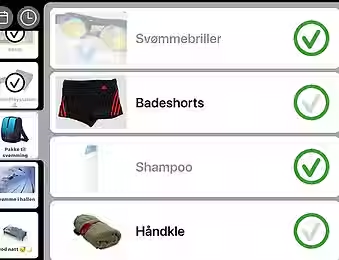
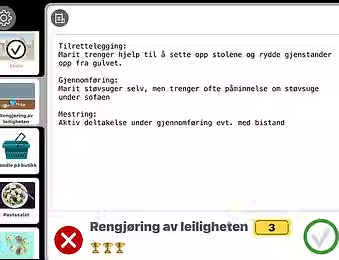
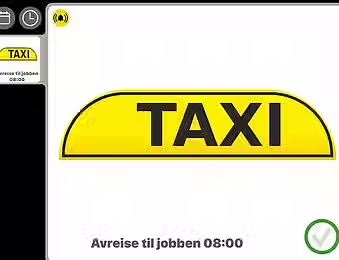
Activity chains

"Many people utilize visual support to carry out daily activities or to master new tasks at home, school, or work. By designing individual activity chains with an tailored amount and type of support, the e-plan can contribute to genuine self-management and active participation in one's own life."


Digital clock

There is always quick access to a simple digital clock, with time, day of the week, date and time of day. The clock also functions well as a screen saver where any tap on the screen leads back to the plan.


Video Call

Many people like to call family and friends but need help making such calls. Activities (or pictures of people) can be linked to phone/email. If the person clicks on the picture of the desired person, e-plan will automatically open a video call.
The function is suitable in combination with Multiple Choice
Symbol tags

Symbol marking is an opportunity to highlight or tag characteristics of an activity or a choice. The labeling is based on the same principle as "product labeling" of food in. Choose your prefered emoji to tag activities. The function makes it possible to highlight "smart choices" or the doctor's recommendation 👩⚕️
User driven
e-plan is the result of a user-driven innovation project.
e-plan was developed by the Department for Neurohabilitation (Oslo University Hospital) and is designed in close collaboration with people who need habilitation as well as their services and loved ones.
e-plan is based on professional principles in habilitation
Individually designed
e-plan is particularly suitable for people who need an individually designed planning tool. Functionality can be tailored so that the amount and type of assistance is conveyed where the individual needs it. Function buttons that are not needed are therefore not visible for the e-plan user. This contributes to a simpler and more intuitive interface that adapts to the person rather than the person having to adapt to a specific design.
User participation
User participation is crucial for active participation in one's own life and an essential component of good services.
e-plan promotes concrete user participation, among other things, through choice functionality and opportunities to decline offers for activities. The combination of individually adapted information (text/sound/photo/symbols etc.) and choice functionality also makes e-plan suitable for promoting decision support.
Active support
Participation in decisions about, and execution of, daily tasks is considered important for a good quality of life. e-plan can be designed in line with mapped assistance needs and adapted to changing wishes and needs.
By adding and phasing out the type and amount of help in step with self-management, e-plan will be able to contribute to active participation and a more independent everyday life for many.